
API tokens
Give an AI assistant or tool limited access to your Listel data.
A token acts as you, so it can only reach your own Listel data. Each token has scopes that limit what it can do.
Create a token
Open API tokens
On the web, open Settings, then API tokens (under Account). You can also go straight to /account?section=api-tokens.
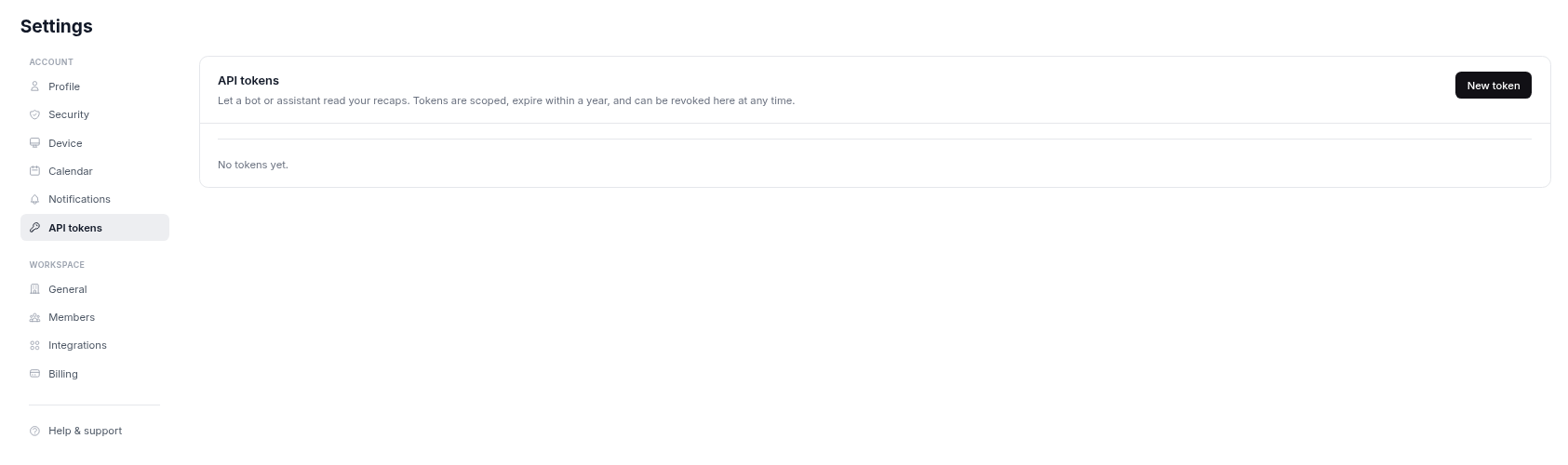
Select New token
Select New token to open the form.
Name it
Give the token a name you will recognize, such as the name of the tool that will use it.
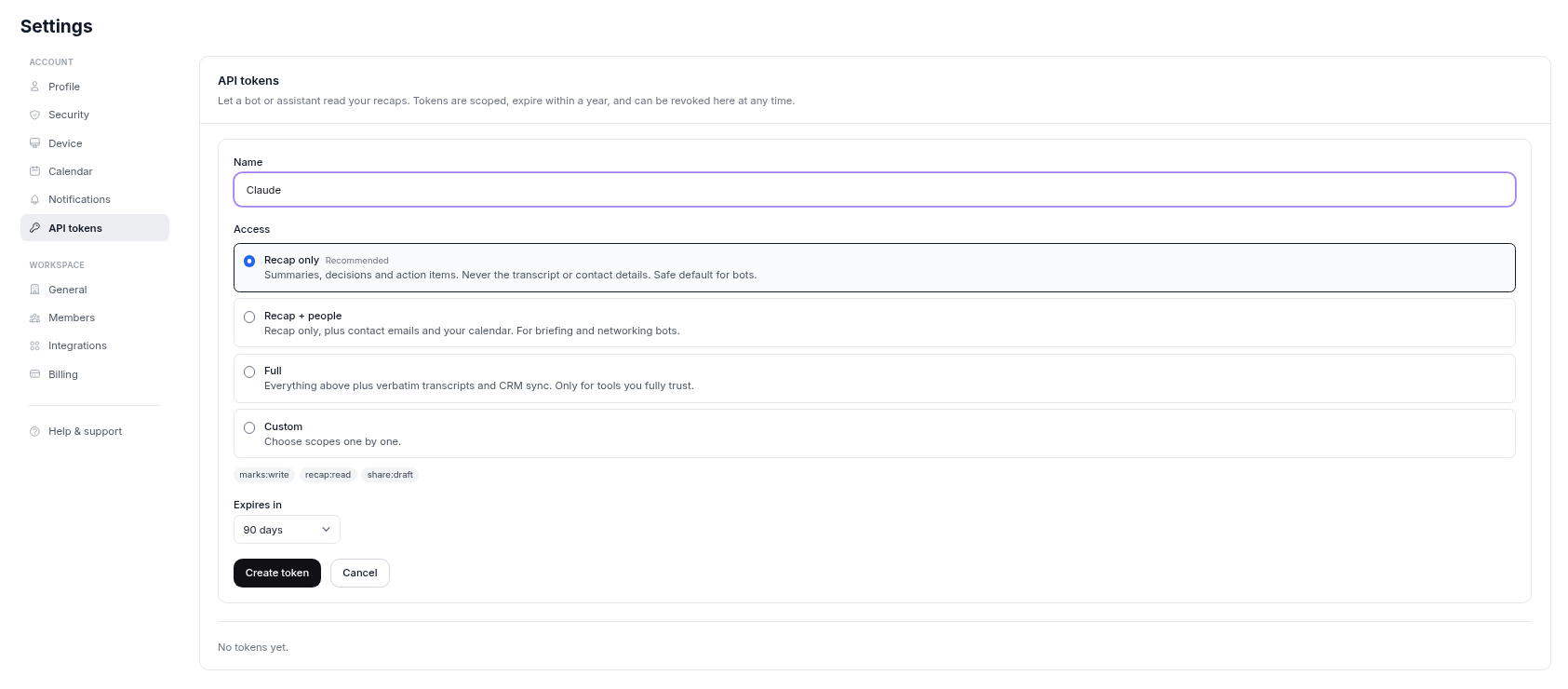
Choose access
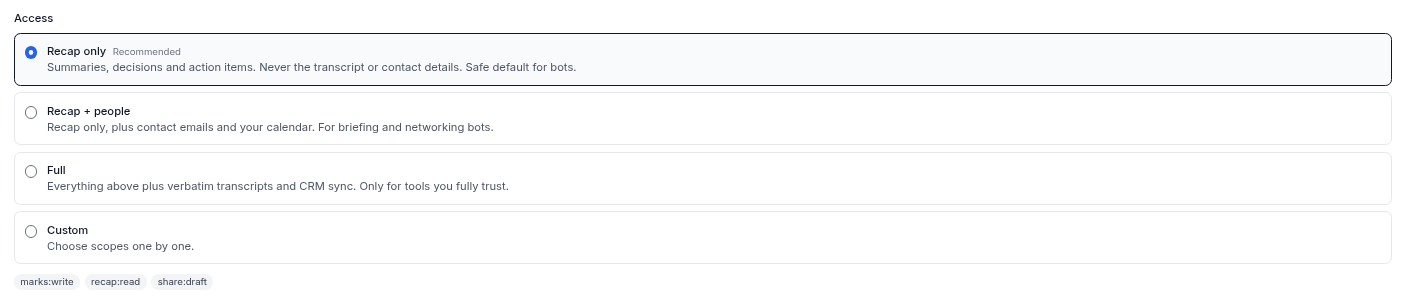
Under Access, select one of the preset cards. Recap only is selected by default and marked Recommended. You can also choose Custom to pick scopes one by one.
Choose when it expires
Under Expires in, the default is 1 year (the maximum). For a shorter expiry, pick 30 days, 90 days or 180 days.
Copy the token
Select Create token and copy it. It starts with lst_ and is only shown once.
Presets
| Preset | Gives access to | Use it for |
|---|---|---|
| Recap only (default, recommended) | Summaries, decisions, action items and recap PDFs. Follow-up drafts. Never the transcript or contact details | Recaps and follow-up drafts |
| Recap + people | Recap only, plus contact emails and your calendar | Meeting prep and networking |
| Full | Everything above, plus verbatim transcripts and CRM sync | Only tools you fully trust |
You can also choose Custom and pick individual scopes.
Scopes
| Scope | Allows |
|---|---|
recap:read | Read your session list, recaps, action items and recap PDFs |
share:draft | Generate follow-up email drafts from a recap. Nothing is sent |
calendar:read | Read your upcoming calendar events |
contacts:read | Read contact details, such as emails and companies, for people in your sessions |
transcript:read | Read verbatim transcripts and audio |
crm:write | Sync sessions to your CRM |
Revoke a token
Find it in Settings, then API tokens, and select Revoke. Do this right away if a token may have been exposed. Create a new one to replace it.
Limits
Each token is limited to about 120 requests per minute. A tool that goes over gets an error asking it to slow down.
Keep tokens safe
- Treat a token like a password. Do not paste it into shared documents or chats.
- Create a separate token for each tool, so you can revoke one without affecting the others.
- Use the shortest expiry that works for you.